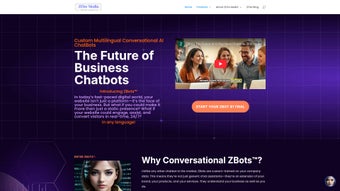

Download ZBots – Custom AI Chatbot for Customer Engagement
Overview
ZBots is a cloud‑based, AI‑driven chatbot platform that targets small and medium‑size enterprises looking for a highly personalized, always‑on digital assistant. Unlike generic, one‑size‑fits‑all chatbot services, ZBots can be trained on a company’s own product catalogs, service manuals, frequently asked questions, and even specific tone‑of‑voice guidelines. This deep customization enables the bot to respond with the same vocabulary, detail level, and brand personality that a human agent would use, which in turn builds trust with visitors and reduces the friction often associated with automated support.
The platform operates 24 hours a day, seven days a week, guaranteeing that every sales lead, support request, or booking inquiry is captured and routed appropriately. By automating repetitive tasks—such as answering price queries, scheduling appointments, or guiding shoppers through checkout—ZBots frees up human staff to focus on higher‑value interactions, strategic projects, and relationship building. The service is delivered as a fully managed SaaS solution, meaning all hosting, security patches, and model updates are handled by the ZBots team.
Subscribers benefit from a predictable monthly price, continuous improvements to the underlying natural‑language‑processing (NLP) engine, and a roadmap that includes new integrations, UI themes, and analytics capabilities. In short, ZBots combines the flexibility of custom training with the convenience of a turnkey, secure, and scalable chatbot that can grow alongside a business.
Core Features That Differentiate ZBots
ZBots’ feature set is built around three core principles: deep customization, omnichannel reach, and data‑driven insight. First, the custom training workflow lets administrators upload a wide range of file formats—CSV, JSON, plain‑text, or even directly connect to a CMS API—so the bot can ingest product specifications, warranty terms, pricing tables, and brand‑specific phrasing. Once the data is uploaded, ZBots automatically generates intents, entities, and response templates, while also offering a visual editor for fine‑tuning edge cases.
Second, the platform supports deployment across every major customer touchpoint. Whether the bot lives on a website, is embedded in a mobile app, or appears within messaging services such as Facebook Messenger, WhatsApp, Slack, or Microsoft Teams, the same trained model powers all interactions, ensuring a consistent experience. Third, the built‑in analytics dashboard provides real‑time metrics on conversation volume, intent detection accuracy, conversion rates, and user sentiment, allowing marketers and support managers to identify bottlenecks and continuously improve the knowledge base.
Additional capabilities include multi‑language detection, secure GDPR‑compliant data handling, calendar integration for appointment booking, e‑commerce assistance (product recommendations, discount code application, cart recovery), and a one‑line JavaScript embed that eliminates complex server‑side configuration. Each feature is delivered via monthly updates that add the latest transformer models, UI enhancements, and integration options at no extra cost, keeping ZBots on the cutting edge of AI‑driven customer engagement.
- Custom Training on Proprietary Data – Upload product sheets, service manuals, or any internal knowledge base and let ZBots learn the specifics of your brand.
- Advanced Natural Language Processing – Powered by state‑of‑the‑art transformer models, the bot understands context, intent, and sentiment, delivering human‑like replies.
- Omni‑Channel Deployment – Embed the bot on websites, landing pages, or integrate it with popular messaging platforms such as Facebook Messenger, WhatsApp, and Slack.
- Real‑Time Analytics Dashboard – Track conversation volumes, conversion metrics, and common pain points to continuously refine your sales funnel.
- Appointment & Event Scheduling – Built‑in calendar integration lets customers book meetings, view real‑estate listings, or register for webinars without leaving the chat.
- E‑commerce Assistance – The bot can recommend products, apply discount codes, and guide shoppers through checkout, reducing cart abandonment.
- Multi‑Language Support – Deploy the same bot in several languages, automatically detecting user locale and switching responses accordingly.
- Secure Data Handling – End‑to‑end encryption and GDPR‑compliant storage keep customer information safe and private.
- One‑Line Integration Code – Add a single JavaScript snippet to any page and the bot appears instantly, no server‑side configuration required.
- Continuous Updates – Monthly releases add new NLP capabilities, UI themes, and integration options at no extra cost.
Installation, Daily Usage, and Compatibility
Step‑by‑Step Setup (Under 5 Minutes)
Getting ZBots up and running is intentionally designed to be fast and frictionless. First, visit the official ZBots website and create a free account; the sign‑up process asks only for a name, email, and a secure password. After confirming the email, you’ll be directed to the dashboard where you can choose a subscription tier that aligns with your team size and anticipated chat volume.
Next, navigate to the “Training Data” tab. Here you can drag‑and‑drop CSV, JSON, or plain‑text files that contain product specifications, FAQ pairs, and any brand voice guidelines. The platform’s AI engine scans the files, extracts key entities (such as product names, SKUs, and price points), and automatically creates intent‑response mappings.
This preprocessing typically takes 10‑15 minutes, after which you’ll receive a preview of the generated conversation flows. If any responses need tweaking, the visual editor lets you edit them in a WYSIWYG interface, add rich media (images, buttons, or quick replies), and test the bot in real‑time. Once you’re satisfied, click the “Deploy” button to receive a unique JavaScript snippet.
Paste this snippet just before the closing tag on every page where you want the chatbot to appear, publish the page, and refresh. The bot will load instantly, ready to greet visitors and handle queries. No additional server configuration, database setup, or SSL certificates are required because ZBots runs entirely in the cloud.
Daily Management and Usage
After the initial deployment, ZBots operates as a fully managed service. Administrators log in to the web dashboard to monitor live chat sessions, view conversation transcripts, and adjust the knowledge base on the fly. The interface includes role‑based permissions, so support agents can be granted “hand‑off” rights to take over a conversation when a complex issue arises.
The dashboard also provides a “Bot Performance” panel that displays metrics such as intent detection accuracy, average response time, and user satisfaction scores collected through post‑chat surveys. For e‑commerce sites, the “Cart Recovery” module can be toggled on to automatically send follow‑up messages to visitors who abandon checkout, offering personalized discounts or assistance. All updates to the knowledge base are propagated instantly across every channel, ensuring that the bot always reflects the most current information.
Because the solution is SaaS‑based, there is no need to worry about server maintenance, patching, or scaling—ZBots automatically adjusts resources based on traffic spikes, guaranteeing a smooth experience even during promotional campaigns or seasonal peaks.
Operating System Compatibility
ZBots is accessed through a modern web browser, making it compatible with any operating system that supports HTML5 and JavaScript. This includes Windows 10/11, macOS Monterey and later, popular Linux distributions (Ubuntu, Fedora, etc.), as well as mobile platforms such as Android 12+ and iOS 15+. Because the chatbot runs on secure cloud servers, there are no client‑side hardware requirements, and the same integration code works across desktop, tablet, and smartphone form factors. The platform also supports progressive web‑app (PWA) installation, allowing businesses to embed the chatbot directly into native mobile apps if desired.
Pros, Cons, and Frequently Asked Questions
Pros
- Highly customizable through proprietary data training, delivering brand‑consistent conversations.
- One‑line JavaScript integration eliminates lengthy development cycles and reduces implementation cost.
- 24/7 availability improves lead capture, reduces missed opportunities, and boosts customer satisfaction.
- Robust analytics dashboard provides actionable insights for marketing and support teams.
- Multi‑language detection and omni‑channel deployment expand reach across global audiences.
- Secure, GDPR‑compliant data handling protects sensitive customer information.
- Monthly feature updates keep the bot on the cutting edge of AI technology.
Cons
- Monthly subscription cost may be a barrier for very early‑stage startups with limited budgets.
- Initial data preparation can be time‑consuming for businesses with extensive or poorly structured catalogs.
- Advanced NLP capabilities require an active internet connection; offline operation is not supported.
- UI theme customization is limited to a set of pre‑designed templates, restricting deep visual branding.
- While the platform is user‑friendly, organizations seeking deep custom code integrations may need developer assistance.
Frequently Asked Questions
Can ZBots handle sensitive customer data securely?
Yes. ZBots encrypts all data in transit using TLS 1.3 and stores conversation logs in GDPR‑compliant data centers. Role‑based access controls let administrators restrict who can view or export sensitive information.
Do I need any programming knowledge to set up ZBots?
No. The platform is designed for non‑technical users. The only technical step is pasting a short JavaScript snippet, which can be done by anyone familiar with basic website editing.
How often are updates released?
ZBots follows a monthly release cadence, delivering new NLP models, security patches, and feature enhancements automatically to all subscribed accounts.
Can I integrate ZBots with my existing CRM?
Absolutely. ZBots provides webhook endpoints and native connectors for popular CRMs such as HubSpot, Salesforce, and Zoho, allowing lead data to flow directly into your sales pipeline.
Is there a free trial available?
Yes. ZBots offers a 14‑day free trial with full feature access, so you can test the custom training workflow and see real‑time analytics before committing to a subscription.
What support options does ZBots provide?
Subscribers receive 24/7 email support, a dedicated knowledge base, and optional live chat assistance. Premium tiers also include a dedicated account manager and priority response times.
Conclusion & Call to Action
In today’s hyper‑competitive digital landscape, delivering instant, personalized assistance can be the deciding factor between a conversion and a lost lead. ZBots combines the power of custom AI training with an ultra‑simple deployment model, giving SMBs the ability to provide 24/7, brand‑aligned support without the need for extensive development resources. The platform’s robust analytics, multi‑channel reach, and secure data handling create a solid foundation for scaling customer engagement as a business grows.
While the recurring subscription cost requires budgeting, the measurable gains in conversion rates, reduced support overhead, and richer insight into customer behavior typically deliver a rapid return on investment. If you’re ready to modernize your front‑line, boost engagement, and turn every website visitor into a qualified prospect, download ZBots today and start your 14‑day free trial. Experience firsthand how a truly custom AI chatbot can transform the way you interact with customers and drive measurable business results.



.png)



